Hi everyone,
I want to integrate an Up2Stream Mini with an active speaker, that uses a 5v trigger signal to switch between stand-by and ON.
What I want to achieve:
- When music playback starts > the Mini sends a voltage trigger to switch the speaker from stand-by to ON.
- When music playback stops > the Mini stops the trigger voltage, allowing the speaker to switch back to stand-by.
What I’ve found so far
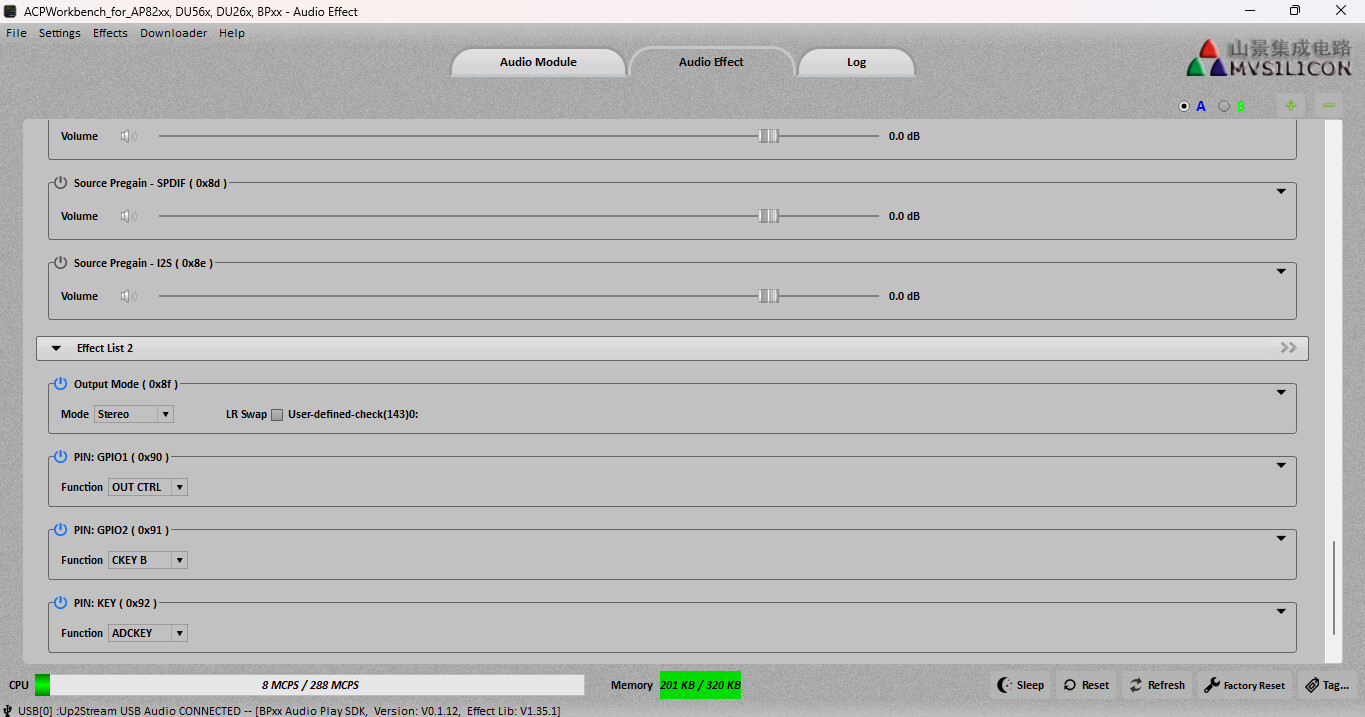
I have read that it should be possible to configure a GPIO pin to output such a trigger, using ACPworkbench. Apparently, the command ‘OUT CTRL’ can be assigned to the selected GPIO pin to toggle voltage output.
What I don’t know (and need help with):
- How exactly do I configure ACPWorkbench to make the GPIO output behave like this (high when playing, low when idle)?
- Is it correct that the GPIO output voltage is 3.3v?
- If so — what’s the recommended way to safely convert it to 5v to match the active speaker’s trigger input?
- Optional: Is there any known documentation or example project for this function?
Thanks a lot in advance for any advice or working examples!
Best regards,
Ernst
1 Like
Hi Ernst,
The MINI should work with the ACP tool to support this feature.
The IO level of PINs are 3.3V indeed, but it won’t have too much driving ability, so please consider it as a signal only. You need some extra driving circuit to drive the relays. Anyway, give it a try 
Thnx @zpl1025 !
I just found some info about the active speaker that says 'the trigger input expects a voltage of approximately 2.5 V to 5 V DC.
With 3.3v form the Mini, that could be enough.
What do you think?
I don’t know the details of the device you want to control, so just try it out.
Thnx @zpl1025 !
I was just able to make a test setup, and it worked! I used GPIO1 for OUT CTRL, and I first checked with my multimeter if it would give a signal when starting to stream music > it did!
Actually, it works really nice, because it immediately responds when starting a music stream, and it switches back within 1 minute when ending the stream: perfetto!
Even better, GPIO1 gives 3.3 volt, and after trying this on the trigger pin of my active speaker, it worked perfectly. The speaker switches on and off based on the signal/3.3 volt coming from my Mini.
One problem left
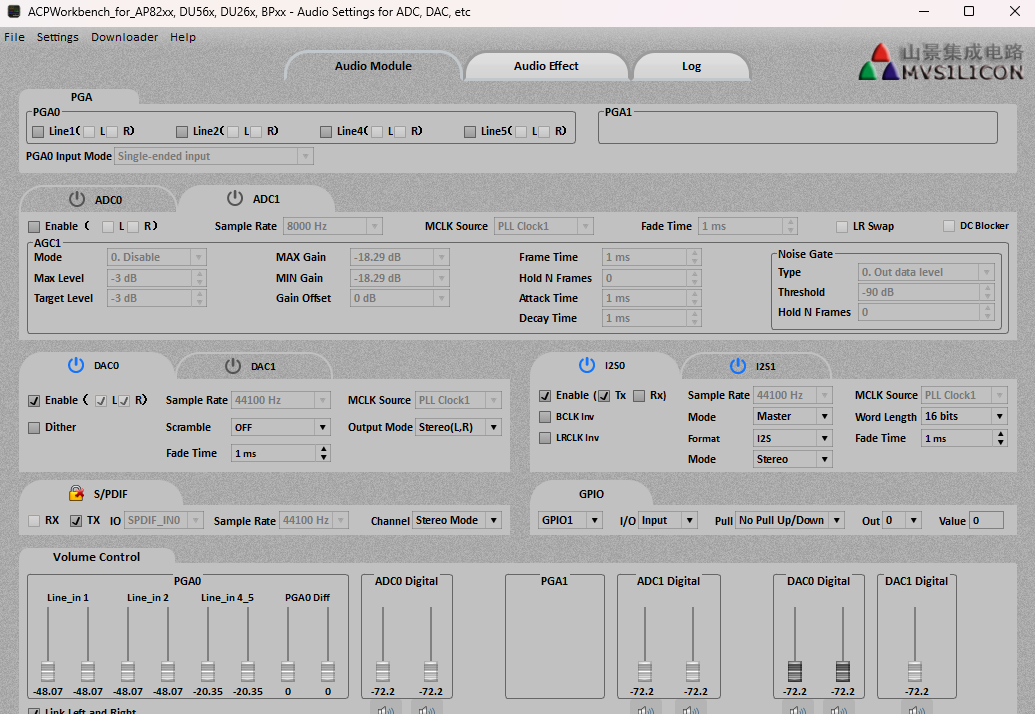
There’s only one thing not working, there is no sound coming from the Mini. I think I might accidentally made another setting in ACPworkbench, that kills the audio signal?
Question
- Can you please have a look at these screenshots, if you see anything that is wrong causing the no-audio signal?
- If you don’t see that, do you have any other idea what might be causing this?
- What should I do to start again with default settings in ACPworkbench and make new settings for GPIO1 only (and then flash the Mini again)? So, how can I be absolutely sure I keep the Mini as it is, and only flash the ‘OUT CTRL’ setting to the Mini?
- In the first tab ‘Audio Module’, should I also make settings for GPIO1 in the lower right of the screen?
- After having made all settings, I selected: Downloader (in the menu) > Save Configurations to Flash. I think the Mini then switches off and starts in Blue tooth mode (USB connected to PC). I guess I do have to factory reset the Mini now, to make the new flash settings active, correct?
These settings should not cause no output. Please check if any other reason.
One day later, I have a working system!
The 3.3 volt as a trigger is sufficient and makes the switching between ON and Stand-by flawless.
I think the only difficulty I had was working with ACPworkbench. The software sometimes responds very slowly, sometimes it does not respond. So it took some time to get the settings tested and correct.
But anyhow, all working now, case closed!
@zpl1025 Thanks very much again Frank for your responsiveness and all your help!
2 Likes